We’re pleased to announce that Readysell 8.64.1xx is rolling out progressively to all of our Readysell 8 customers. This release is focused on implementing some important service enhancements, improvements to the framework of the whole application, and actioning bugs that have been reported over the last period.
New Feature Development
17299 – [Retail POS] Added the ability to search for products in the product list by scanning a product’s barcode.
17320 – New End of Day and End of Day Sales Analysis reports. Form report IDs F-149 and F-150 – Relates to tickets 72416 and 74121.
17338 – Cash count required on a workstation now will override the system type “CASH-COUNT-REQUIRED” under sales. This allows more control over workstations regardless of what is set in the system types.
17345 – Integration with Cario freight. An alternative solution to Smartfreight or StarshipIt. Contact Readysell support for setup.
Bug Fixed
17331 – Fixed an issue that could cause the balance on sale order to be 0.01 due to a rounding cash payment.
17335 – Fixed an issue that was occurring when a supplier payment was created using a tender method of non-internet was not calculated in the shift line.
17337 – [applicable to particular customers] Fixed an issue where the last catalogue field for a product was not pointing to the most recent catalogue that included the product – Relates to tickets 75256, 74894, and 77822.
17288 – [applicable to particular customers] Fixed the meter charge shipment address not populating on the shipment when creating a charge for a machine – Relates to ticket 73871.
17348 – Fixed and issue when finalising a price change run and the new price inc tax ended with 0.0001- Relates to ticket 79181.
17351 – [applicable to particular customers] Fixed external import that was previously only looking for “Active” products. Import will now consider any form of active flag.
17362 – [Mobile App] Fixed an issue where Picker was not getting updated back to the original shipment after being set from the mobile app.
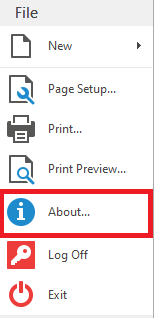
To check what version of Readysell you are currently running, click file up the top left of any screen and then click about.
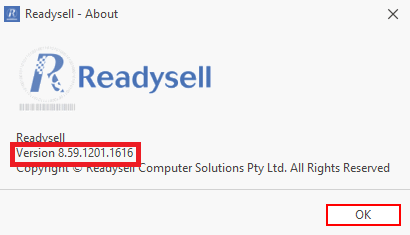
And the following window will appear, where you can compare your version number to upcoming release number above.